Table of Contents
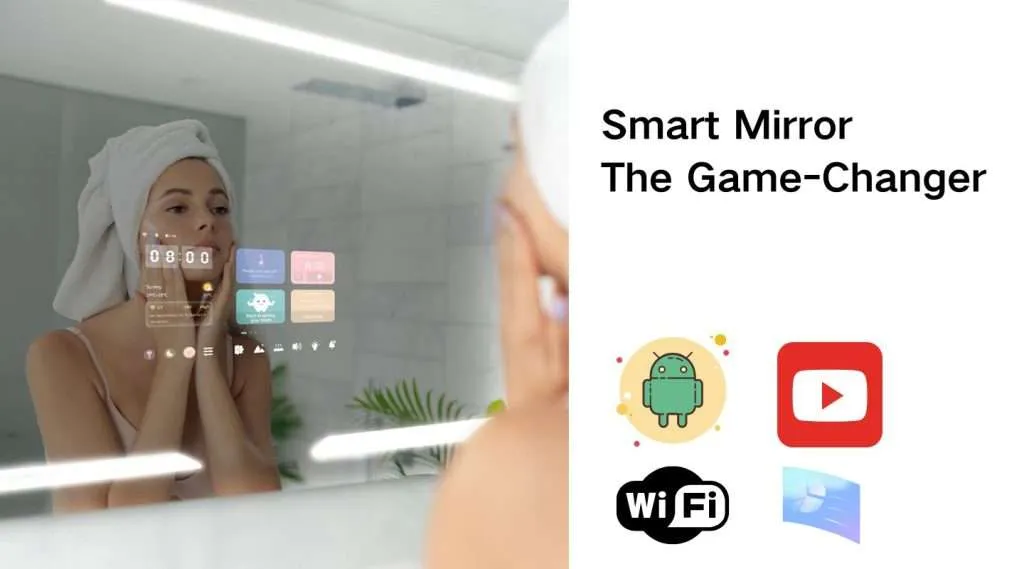
Smart Mirror Encyclopedia – What is a smart mirror?
In today’s rapidly evolving technological landscape, smart mirrors have transitioned from science fiction into our daily lives, emerging as a shining star in the trend of smart home innovation. As the name suggests, a smart mirror is a cutting-edge product that integrates artificial intelligence with traditional mirror functionality.
It not only reflects your image but also delivers a range of intelligent services and information.
What’s the functionality of smart mirror ?
smart mirror is an innovative product that combines artificial intelligence (AI) with traditional mirror functionality, offering a wide range of features. Below are its key capabilities.
Information Display
- Shows basic information such as time, date, and weather.
- Connects with smart home systems to display status updates of other devices, including indoor temperature, humidity, and air quality.
Voice Interaction
- Integrates with voice assistants (e.g., Siri, Alexa) to execute voice commands, such as setting alarms, playing music, or checking news.
Health Monitoring (Advanced Models Only)
- Tracks vital health metrics including heart rate, weight management, and skin analysis.
- Syncs with health devices (glucometers, blood pressure monitors, body fat scales, sleep trackers, and smart toothbrushes) to collect and analyze biometric data.
Smart Mirror Entertainment Features:
- Multimedia Hub: Stream videos and music directly.
- Video Calls: Make hands-free video calls with family.
Smart Home Control:
- Seamless Integration: Connect with smart home devices for touch/voice control of lights, AC, TV, curtains, etc.
- Lighting: Adjust brightness, color temperature, and set schedules via voice or touch.
- Curtains: Open/close or adjust height through voice commands or the touchscreen.
- AV Control: Manage speakers, TVs, and projectors—play/pause content or adjust volume.
- Home Security: Integrate with surveillance systems to view live feeds and receive alerts.
Smart Mirror Customization:
• Personalize display content, interface themes, and audio settings based on user preferences.
Eco-Friendly Mode:
• Reduces energy consumption through smart automation and connected device optimization.
Lifestyle Services:
• Provides practical alerts like outfit suggestions and schedule reminders.
How to Use a Smart Mirror? – The Complete Guide
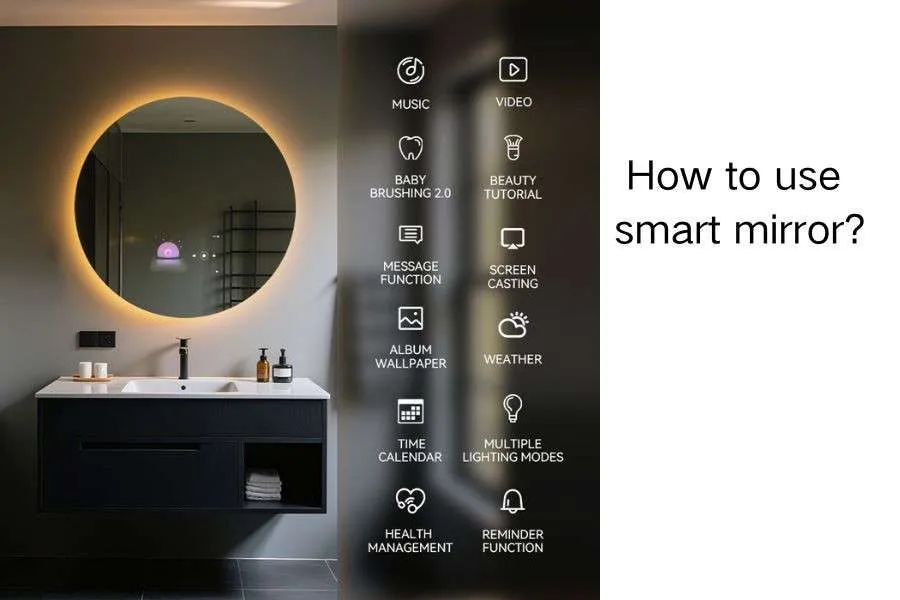
As an integral part of modern smart homes, the smart mirror has seamlessly integrated into our daily lives. More than just a reflective surface, it serves as a multifunctional smart device combining information display, voice interaction, health monitoring, and entertainment features. Below is a comprehensive guide on how to use your smart mirror.
1. Smart Mirror Device Connection & Setup | Smart Mirror Encyclopedia
Bluetooth Connection:
- Ensure your smartphone’s Bluetooth is enabled.
- Activate the smart mirror’s Bluetooth pairing mode.
- Search for and select the smart mirror in your phone’s Bluetooth settings to establish pairing.
Wi-Fi Connection (Required for Full Smart Features):
- Access the Settings menu on your smart mirror.
- Select Wi-Fi Network and enter your home Wi-Fi password.
- Confirm connection to enable all cloud-based functions.
2. Smart Mirror Functions Guide | Smart Mirror Encyclopedia
Information Display
- Time & Date: Automatically displays current time and date (no manual setup required).
- Weather Forecast: Shows local weather data based on your geographical location.
- Smart Home Status: Real-time monitoring of connected devices (indoor temperature, humidity, air quality, etc.).
Voice Control
- Wake Phrase: Activate by saying the wake command (e.g., “Hello, Mirror”).
- Voice Commands: Execute instructions like:
• “Play music”
• “Search for news”
• “Turn on the lights”
Health Monitoring Features:
Heart Rate Detection
- Lightly place your finger on the designated sensor area
- Real-time heart rate data display with personalized health recommendations
Weight Management
- Stand on the integrated scale (if equipped) or sync with your smart scale
- Automatic weight tracking with trend analysis charts
- BMI calculation and goal setting support
Skin Analysis
- Use the HD camera for facial scanning
- AI-powered skin assessment (hydration, wrinkles, spots)
- Customized skincare routine suggestions
Entertainment Functions:
Media Playback
- Video Streaming: Access pre-installed apps or download from the mirror’s app store
- Music Playback: Bluetooth connectivity for speakers/headphones with voice control (“Play jazz music”)
Video Calling
- Hands-free calls using built-in camera and microphone
- Supports major platforms (Zoom, WeChat, etc.)
- Auto-framing technology keeps you centered
3. Smart Mirror Usage Guidelines | Smart Mirror Encyclopedia
Important Precautions
- Lighting Conditions: Ensure ambient light is neither too bright nor too dim for optimal display visibility.
- Weight Restrictions: Do not place heavy objects on the mirror surface to prevent damage or functional impairment.
- Data Security: Protect your privacy by never sharing login credentials or personal data through the device.
Summary
The smart mirror’s intuitive operation requires only simple steps as outlined above. Beyond providing convenient information display and voice interaction, it revolutionizes personal health management and home entertainment. As technology advances and applications diversify, smart mirrors promise to deliver even greater convenience and innovative experiences in the future.